
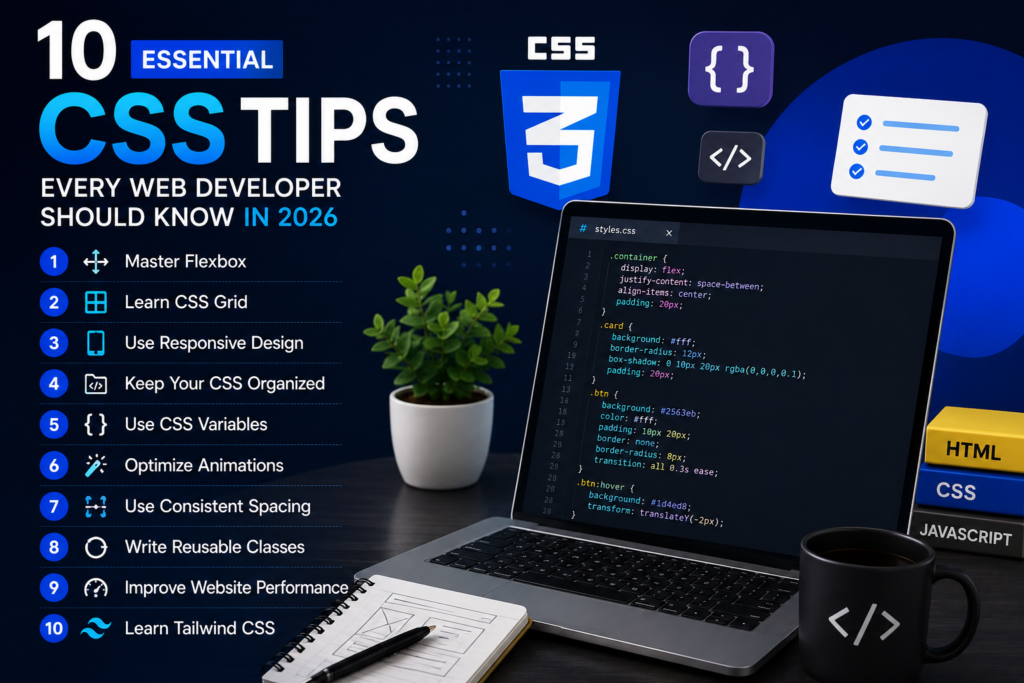
10 Essential CSS Tips – Web Developer 2026
10 Essential CSS Tips Every Web Developer Should Know in 2026
Published on July 2026 • 9 min read
Introduction
CSS (Cascading Style Sheets) is the language that transforms plain HTML into beautiful, responsive, and modern websites. Whether you’re building a personal portfolio, an eCommerce store, or a business website, mastering CSS is essential for creating an outstanding user experience.
Many beginners learn the basics of CSS but struggle to write clean, maintainable, and responsive code. Professional developers use proven techniques that make websites faster, easier to maintain, and visually appealing.
In this article, you’ll discover 10 essential CSS tips that every web developer should know in 2026.
1. Master Flexbox
Flexbox is one of the most useful CSS layout systems. It makes aligning items horizontally and vertically much easier without writing complicated code.
Why Use Flexbox?
- Easy alignment
- Responsive layouts
- Better spacing
- Less CSS code
Learning Flexbox should be one of your first priorities after understanding basic CSS.
2. Learn CSS Grid
While Flexbox works well for one-dimensional layouts, CSS Grid is perfect for creating complete page layouts.
Grid allows developers to build complex designs with fewer lines of code and better responsiveness.
Best Uses
- Website layouts
- Dashboards
- Image galleries
- Blog pages
- Landing pages
3. Use Responsive Design
More than half of internet users browse websites on smartphones.
Always design your websites so they work perfectly on:
- Mobile Phones
- Tablets
- Laptops
- Desktop Computers
Media queries help create responsive designs that adapt to different screen sizes.
4. Keep Your CSS Organized
Messy CSS becomes difficult to maintain as projects grow.
Professional developers organize their code using sections such as:
- Typography
- Layout
- Navigation
- Buttons
- Forms
- Footer
- Responsive Styles
Well-organized CSS saves time and reduces bugs.
5. Use CSS Variables
CSS Variables allow you to define reusable values for colors, fonts, spacing, and other properties.
Instead of changing the same color in dozens of places, update one variable and the entire website changes automatically.
Common Variables
- Primary Color
- Secondary Color
- Font Size
- Border Radius
- Spacing
CSS Variables make large projects easier to maintain.
6. Optimize Animations
Animations improve user experience, but excessive animations can slow down websites.
Use smooth and lightweight transitions for:
- Buttons
- Cards
- Navigation Menus
- Hover Effects
- Images
Always prioritize performance over unnecessary visual effects.
7. Use Consistent Spacing
A professional website follows a consistent spacing system.
Instead of random margins and padding, create a spacing scale such as:
- 8px
- 16px
- 24px
- 32px
- 48px
Consistent spacing improves readability and creates a cleaner design.
8. Write Reusable Classes
Avoid writing duplicate CSS.
Create reusable utility classes for common elements like:
- Buttons
- Cards
- Containers
- Headings
- Sections
Reusable code reduces file size and makes future updates easier.
9. Improve Website Performance
Large CSS files can slow down loading speed.
Professional developers improve performance by:
- Removing unused CSS
- Minifying CSS files
- Combining styles where appropriate
- Avoiding unnecessary code duplication
A fast website provides a better experience for users and improves SEO.
10. Learn Tailwind CSS
Tailwind CSS has become one of the most popular frontend frameworks because it allows developers to build professional interfaces quickly using utility classes.
Benefits include:
- Faster development
- Consistent design
- Easy responsiveness
- Cleaner workflow
- Excellent customization
Many modern startups and agencies now use Tailwind CSS for production websites.
Common CSS Mistakes
Many beginners make mistakes that affect both design and performance.
Avoid these common issues:
- Using too many
!importantdeclarations - Writing duplicate CSS
- Ignoring responsive design
- Using inconsistent spacing
- Creating overly complex selectors
Following best practices keeps your code clean and maintainable.
Final Thoughts
CSS is much more than changing colors and fonts. It is a powerful language that controls layout, responsiveness, animations, and overall user experience.
By mastering Flexbox, Grid, responsive design, CSS variables, reusable classes, and performance optimization, you’ll write cleaner code and build websites that look professional on every device.
Keep practicing, experiment with modern techniques, and continue learning new CSS features. Small improvements every day will make you a stronger frontend developer in 2026 and beyond.
Conclusion
Great websites are built on strong fundamentals. Learning advanced CSS techniques doesn’t happen overnight, but consistent practice will dramatically improve your skills.
Focus on writing clean, organized, and responsive code, and you’ll be well on your way to becoming a professional web developer capable of building modern, high-quality websites.

Stay Updated 🚀
Get the latest tutorials, WordPress tips, AI updates and web development articles delivered directly to your inbox.

💬 Discussion
0 Comments